
Fraudulent messages
Translated from the Spanish original. Read in Spanish
It’s very common to receive a stream of fake messages with different aims through all kinds of channels.
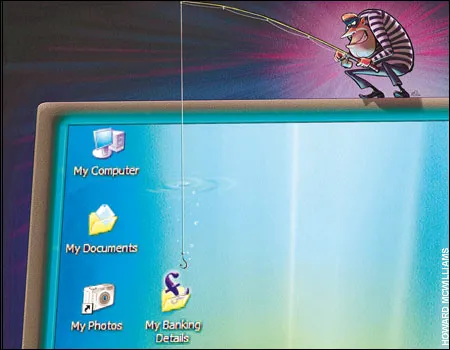
In this article I’ll point out some key things that help you spot this kind of message quickly, as well as the minimum precautions to take before exposing your data. We can distinguish the following types, which in my view are the most common and relevant.
– Phishing (identity impersonation) emails, messages and/or phone calls
– Emails, messages and/or calls for advertising purposes
– Emails and/or messages intended to collect information
Clearly, the first type is the most harmful, since it can lead to the theft of banking details and/or sensitive data.
How do we tell whether a message is genuine? How should we react in these situations?
Tips
1. No bank will ask you for any kind of personal information by email, phone or text message. If in doubt, call the bank’s number and ask (if they phoned you, hang up and dial the bank’s number yourself).
2. Even if the email offers you a link that looks just like the one you use to log in to your bank or other services, DO NOT CLICK IT, since it may be a trap that redirects you to a fake site.
3. No company such as Microsoft, Google, Yahoo or others will ask you to forward emails to keep an account free or to earn money. These messages are fake. If one of these companies ever wanted to shut down its free accounts, you’d read about it on its official website, in the newspaper or in some other reliable media outlet.
4. 99% of chain emails that play on every kind of emotion are usually fake.
5. In most cases, emails urgently asking you to log in to a service to update or change your details are fake. If in doubt, open a new window or tab in your browser, go to the service’s official website and only then log in. If the email was genuine, you’ll surely see a notification there; otherwise, you’ll have confirmed it was fake.
6. Whenever possible, don’t click any image or link in any email, even from someone you know (unless you’re 100% sure the link was sent by a person and not by a malicious program). If you must, copy the text and paste it into the browser (there’s still some risk here, but if you have a good antivirus running you shouldn’t need to worry. For more information, see this article).
Finally, the foolproof way to spot a fake message is to contact the company providing the service directly and check whether the message is genuine. It may seem obvious, but many people forget this or assume these support channels never work. Most companies have a freephone or other free number for questions about their services.
If you’ve confirmed that an email or website is fake (phishing or identity impersonation), you can report it on the following page:

AI Platform Engineer & Full-Stack Developer
Building Enterprise Integrations & Automations
- What an LLM really is — and how to measure it with Artificial Analysis - 12 September 2026
- AI SDLC: a compendium of best practices for developing with AI - 19 June 2026
- Agentic Patterns and the Many Faces of RAG - 25 May 2026